
You are using an out of date browser. It may not display this or other websites correctly.
You should upgrade or use an alternative browser.
You should upgrade or use an alternative browser.
Click here for fun.
- Thread starter elmo
- Start date
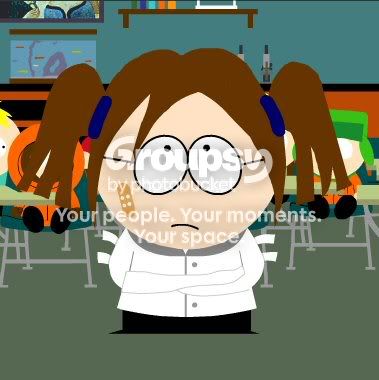
Emma Caulfield
Salty Goodness

elmo
Anyone here speak Whale?!
Emma Caulfield
Salty Goodness



elmo
Anyone here speak Whale?!
Beer_Nut
Here and there


Emma Caulfield
Salty Goodness
Jenny said:Haha omg those are hilarious!!!!! I tried the link..but I'm at work and it got filtered out under "Tasteless" LOL!
Can someone make a Buffy one???
I'll do my best in my best in making you a Buffy one. What exactly do you want?
Chosen 1
Potential
Xander Harris said:I'll do my best in my best in making you a Buffy one. What exactly do you want?
🙂 🙂
I just saw the one in your post earlier..but maybe one with her with a ponytail or something? And the red pants (lol) if they have any!!!! 🙂
Beer_Nut
Here and there
Chosen 1 said:How do you post them? I've tried but I can't figure out how to.
After you make the image, you need to hit the "Print Screen" button. Then open "Paint" (or another program like it) and click paste.Then shrink the botom right corner of the image to the picture of your character. Then rotate the image 180 degrees and do the same thing again. Rotate the image a final time and it should be right side up. Now save the file (in whatever format you want, preferably .jpg) and come to you post. You can either click on the "insert image" button at the top of the screen, or you can scroll down to "manage attatchements" and add it in that way.
Hope this helps, man these little guys are great, I wanna see more!
Xander
You Can Call Me Ash


Chosen 1
Potential
Beer_Nut said:After you make the image, you need to hit the "Print Screen" button. Then open "Paint" (or another program like it) and click paste.Then shrink the botom right corner of the image to the picture of your character. Then rotate the image 180 degrees and do the same thing again. Rotate the image a final time and it should be right side up. Now save the file (in whatever format you want, preferably .jpg) and come to you post. You can either click on the "insert image" button at the top of the screen, or you can scroll down to "manage attatchements" and add it in that way.
Hope this helps, man these little guys are great, I wanna see more!
Thanks for the tip but it didn't work. When I tried to upload it from the manage attachments, it told me the file was to big. As for the insert image, I don't have a clue how to use it, I clicked on it and all that came up was


ana8
Missing you....
Aww...I wanna have cute Angelus..But don't have enought time..Could someone possibly do me one??PLEASE??
Xander
You Can Call Me Ash
AshSan said:Lee Wes looks stoned/drunk, good work though.
Lol! Meant too!
Ana, I made you an Angelus one...hope you like...

elmo
Anyone here speak Whale?!
WOW! Lee.... this is turning into "Lee's South Park Fest"! - (how original elmo.... keep 'em coming!) LOL. 😀
These all look really good. But I think you've had a bit too much punch. Time to go home and sleep it off. J/K 😀 Keep up the good work guys. I'm glad to see that people actually found something I posted to be fun!
YAY! Go me!
These all look really good. But I think you've had a bit too much punch. Time to go home and sleep it off. J/K 😀 Keep up the good work guys. I'm glad to see that people actually found something I posted to be fun!
YAY! Go me!