Tutorial request thread?

GwenRaiden

AKA Apology Girl
Joined
Aug 26, 2008
Messages
6,939
Age
39
Location
Ecosse
Black Thorn
Like, if you want to ask someone "how did you make that?" or ask about a certain technique, or just ask something more general, then here is place to do it?
 
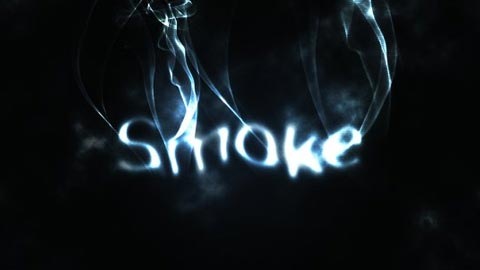
I'd like to learn how to make smokey effects & text. Also how to make layered/semi transparent images for pictures. Thanks in advance. 🙂
 
Hey @HowiMetdaSlayer, do you have a photo of the smokey effects you mean? And by layered/semi transparent, do you mean when adding a texture to something?

I wanna ask @Taake, do you have any curves presets that you use a lot? Or do you colour as you go? Your colouring is always so on point.
 
A few snagged from this section and elsewhere...
V0yqJB8.png

YRyyZqm.png

KlQ1414.png

2193.jpg

smoketexteffect.jpg

7-original.png

yIlVcfk.png

CiERDMp.png

IkwVHjx.png
Also would I have to get Photo Shop to do stuff like that?
 
No, you can do all of that in gimp. 🙂 It's actually simpler than it looks.

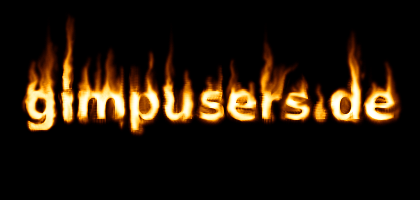
The smoke and fire effects looks like they have been done by using brushes along with layer masks. Try searching for "smoke effects for text" tutorials for gimp on Google/YouTube, cos I'm not fully clued up on using gimp. You can download brushes for gimp on places like deviantart.

Here's a smoke tutorial for gimp.

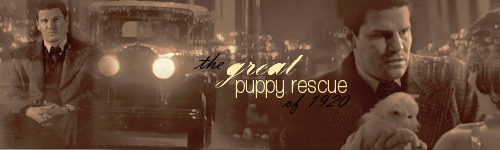
This is a good tutorial for blending. A lot of it should be translatable to gimp. Blending takes a while to learn, just keep praticing. You want to lower the opacity of a texture layer, then use the eraser, or a layer mask, also on low opacity, to delete parts of it. You can mess about with the brightness and colour of that texture layer too by using curves and colour balance.
 
Can you recommend a beginners guide to gimp on you tube? Something simple that doesn't use too much jargon.
 
I'll have a look online later. I should still have some old gimp stuff bookmarked from the olden days. My recommendation would be practice, practice, practice. Use it as often as you have the time, to get used to all the tools and settings and it'll get easier. 🙂 I started on gimp. We all start somewhere!
 
Priceless
Priceless
Thanks teach :-)
I'll have a look online later. I should still have some old gimp stuff bookmarked from the olden days. My recommendation would be practice, practice, practice. Use it as often as you have the time, to get used to all the tools and settings and it'll get easier. 🙂 I started on gimp. We all start somewhere!
I totally echo this, @Priceless I never watched any tutorials in the beginning or was taught the trade by anyone, I was self-taught for years. Not saying you should do that, lol, but Gwen is right, practice is everything 🙂
 
Priceless
Priceless
Thanks Puppet, I totally take all the advice on board :-)
Yeah, the more high quality the image (larger in size) the better it will look. Also, when you're scaling your image, be careful not to rescale from small to large again, as gimp won't remember the original image quality and you'll end up with a blurred LQ image. The best thing to do when scaling is scale down, see if you like the fit, and if you don't, start over, don't scale the same small image up again. You generally get a good preview of what you're going to see on your banner when using the scale tool anyway. 🙂
 
Priceless
Priceless
Thanks :-)
Back
Top Bottom