palabravampiress
Bidet of Evil
Hey all.
I woke up this morning and decided to waste some time trying to teach myself how to edit images. I'm a dork and I thought it would be fun to create a banner for my Indra RPG character. Since meeting Spike has caused Indra to start to doubt Dru a little bit, I thought it might be fun to do a banner in which Indra is torn between Drusilla on the one hand and Spike on the other. My plan was to use this little project to teach myself how to use GIMP... but I lack the skills. lol.
Does anyone know where I can find a good GIMP tutorial? The help on the website is... just not working for me.
I want to do something pretty simple: I want to set one image as the background and place another image (an image of the person person) on top as a separate layer. That, I can do. The problem that I'm having is that I'm not sure how to crop negative space out of the top layer so that the background shows through. I thought I could set the lasso tool to the "Subtract from the Current Selection" option, but that just creates white space. I've scoured the internet, but I can't find a tutorial that makes sense to me.
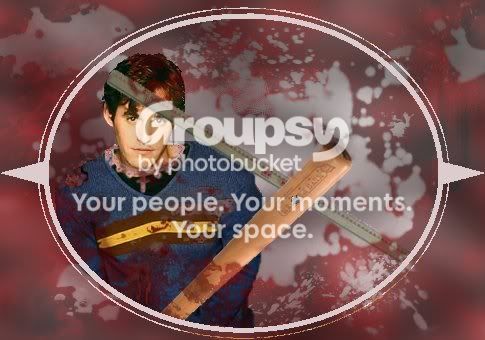
In case I didn't explain it very well, here is the problem that I'm having:

See the negative space in the top layer? How do I cut the negative space out so that the background layers shows through?
I woke up this morning and decided to waste some time trying to teach myself how to edit images. I'm a dork and I thought it would be fun to create a banner for my Indra RPG character. Since meeting Spike has caused Indra to start to doubt Dru a little bit, I thought it might be fun to do a banner in which Indra is torn between Drusilla on the one hand and Spike on the other. My plan was to use this little project to teach myself how to use GIMP... but I lack the skills. lol.
Does anyone know where I can find a good GIMP tutorial? The help on the website is... just not working for me.
I want to do something pretty simple: I want to set one image as the background and place another image (an image of the person person) on top as a separate layer. That, I can do. The problem that I'm having is that I'm not sure how to crop negative space out of the top layer so that the background shows through. I thought I could set the lasso tool to the "Subtract from the Current Selection" option, but that just creates white space. I've scoured the internet, but I can't find a tutorial that makes sense to me.
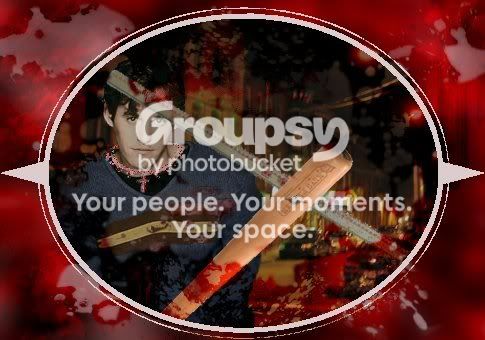
In case I didn't explain it very well, here is the problem that I'm having:
See the negative space in the top layer? How do I cut the negative space out so that the background layers shows through?