Help with GIMP?

I used the above to create a banner! I even added text -- using the Xtns > logos script thingie, thanks for the tip -- and I think it turned out tons better than the first banner. Check it out:

XanderBanner.jpg

Hmm... looks like I need to crop it a little bit more.


Here it is cropped and with added Raiden pride!
XanderBanner2.jpg
 
Try blurring the edges of Xander and the bat so he blends in more with the background
 
^ Thanks. I will try that one out later. You guys are all being super helpful with the suggestions.


For now...

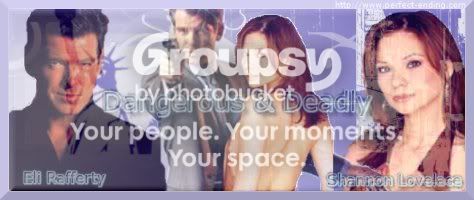
Check it out! I made a totally cool banner. It's not Buffy-related; it's for one of my RPG characters over at Perfect Ending. I'm really pleased with it. I feel like I've learned a whole lot in the past couple of days.

NYCBanner.jpg
 
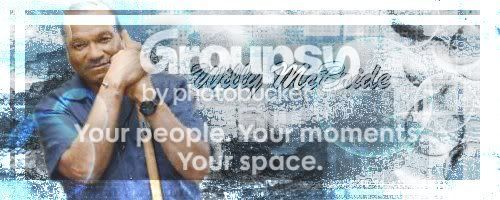
Sorry about the double postage. I will try to figure out the Xander banner some other time. In the meantime, though, I wanted to show you guys my newest creation. I finally figured out how to do the glass tile effect in a border and how to use lighting effects in a way that actually works!

SonnyMcBrideBanner.jpg


I really feel like I'm improving by leaps and bounds. It's awesome.
 
C
Clem Rocks
I think you might know more than me now, and i've been using Gimp for like 2 years ._.
^ Nah, Clem Rocks. I couldn't really give anyone advice yet, like you can. I'm still in trial-and-error mode. If someone asked me *how* I came up with these, I'd be at a loss when it came to giving them pointers or step-by-step instructions.


Anyway, I still need to go back and work on the Xander piece.

In the meantime, though, I've been playing with backgrounds and colorization.

Here's a banner that I made for another Perfect Ending character:
WillyMcBrideBanner.jpg

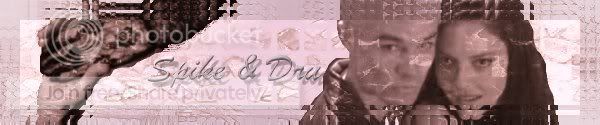
And here's a Spike and Dru banner. If you like it, feel free to grab it and use it.
SpikeandDruBanner.jpg


I need to come up with better border ideas. I like the glassy look, (obviously; lol) but I can't use it every single time. Does anyone have any suggestions about how to make cool borders of the non-glassy variety?


Also, since this thread is called "Help with GIMP," I figure I had better provide assistance as well as receive it. Like I said before, I'm far from being an expert. I don't even know what half of the tools are yet. If you like my backgrounds, though, I can tell you a little bit about how I come up with them. I start with two background layers, one of which is a gradient and one of which is more of a pattern (like water or blood or bricks or something). It doesn't matter which one is on top. Sometimes one is on top and sometimes the other is on top; I usually just base it on whatever looks the best with that particular pattern and gradient combination. I usually do a little bit of blurring or lighting or even colorization on the pattern to make it look less uniform and mechanical. I then use the eraser tool to "paint" shapes and images (like cracks or bubbles) so that the bottom layer shows through. After that, I switch to the paint tool and paint similar shapes and images with actual foreground and background colors. Sometimes, I do the foreground painting on a separate layer. At the end, I merge all of these layers into one, which I use as my background. The result is a background that has a lot of interesting texture and color to it.
 
I have some new questions about GIMP:

1. Comic book layouts... does anyone know where I can find anything resembling comic book layouts for GIMP?

2. Banner splitting... does anyone know how to split banners with GIMP? One of my websites requires banner splitting.
 
Okay... I have a couple more newb questions.

Two terms that I see thrown around a lot are "blend" and "texture." What, exactly, do those mean? And do they apply to GIMP as well as to photoshop? I called the fiery layer (with the flames and smoke and stuff) in my new banner a texture, but I'm not sure I'm right.

Also... please see above re: banner splitting. How does one split banners in GIMP?
 
I'm not really sure what "banner splitting" is. Most of the time, i can figure out how to do it if I see it done with photoshop or something else, so if someone could explain what exactly it is, I could probably figure out how to do it.

Secondly:
Blends: yes, we have blends aka, gradients, also, you can download blends on deviant art, just search through the brushes and there are certain ones that are specificly blends. I personally don't like using blends, I think they take away from the image, they make it look dull, I'd much rather just play around with levels etc to get different colors but you can use your blends in different ways. Most people use them for avatars like I did here:
buffyavi.jpg
janetavi.jpg


I'm not sure how you do it in photoshop, but if you want to do it in GIMP, open a new layer and then go to your gradients, play around with the colors (foreground color and background color) or pick one of the premade gradients and put it on the new layer, then change the transparency to your liking.

Thirdly:
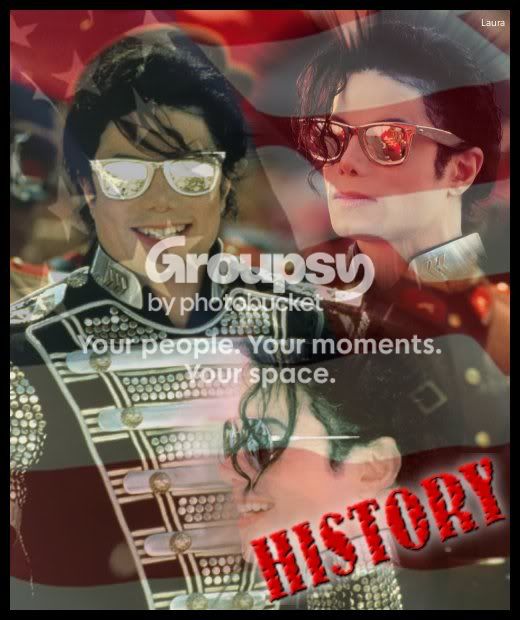
Textures, again, not really sure how it works in photoshop, but if you would like to apply textures (other than the ones already made which I think are pretty generic) just search the internet for textures, if you see one that you like, save the image to your computer and then open it in gimp, putting it over top or underneath the image that you want it to be with. (finding example)
historypic.jpg

(the flag texture is just an image from google that I looked up and saved to my computer, then just added it to the image and adjusted the transparency)
 
palabravampiress
palabravampiress
Aha! Thank you, you Lord of Lingo, you!
First of all, thanks! Turns out I was already using blends and textures (and making my own), I just didn't know for sure that's what it was called! Gradients. That makes so much more sense. 🙂


Secondly, banner splitting works like this:

You have one image for the top...
SpruTop.jpg

One for the bottom...
SpruBottom.jpg

And when you put them together, they blend seamlessly, like so (only not like so, because of the "Click this bar to see full image" thing, but they do blend seamlessly on the site that requires banner splitting):
SpruTop.jpg
SpruBottom.jpg
 
okay, here's what I did: once you've made the banner, crop it using the rectangle select (from the top down). Save. then go back to the banner and undo the crop (the rectangle select should still be there) using the line from the bottom of the current rectangle select, create another rectangle select with that line as the top, then crop and save... I think that's what you mean.
 
palabravampiress
palabravampiress
Yay! It worked! Thank you so much! You are a godsend.
okay, here's what I did: once you've made the banner, crop it using the rectangle select (from the top down). Save. then go back to the banner and undo the crop (the rectangle select should still be there) using the line from the bottom of the current rectangle select, create another rectangle select with that line as the top, then crop and save... I think that's what you mean.

Okay... I tried that. Here is the result:

Original:
BanderEndgame.jpg


Top:
BanderEndgameTOP.jpg


Bottom:
BanderEndgameBOTTOM.jpg


Combined:
BanderEndgameTOP.jpg
BanderEndgameBOTTOM.jpg


Yay! It worked! Thank you so much!
 
Hi, I'm just working on a vid, and i need some help. how do you cut out a picture without damaging the background?

Try layer masking. GimpTalk View topic - The Layer-Mask Rendering Method

I'm sure there are better tutorials out there, but the basic point of layer masking is non-destructive editing. Layer masks allow you to edit one part of the layer (say the subject) without destroying any of another part (like, say, the background).
 
Back
Top Bottom