Joann's Photoshop Disaster

It's very cool! And hot!
I love the theme in it, the two badass fight girls.

couldn't give you rep again, but that is exactly what i was going for!! I was going to write something witty like "And it's not even that time of the month yet" or something like that but decided not to.
 
couldn't give you rep again, but that is exactly what i was going for!! I was going to write something witty like "And it's not even that time of the month yet" or something like that but decided not to.

It was easy guessed, you did a good job at that, that's for sure.
 
I love that Tara and Spike one! Made me laugh 😀 And your recent one is so clear!!! That's something I'm still trying to work through! Awesome job!!! Can't wait to see more 😀
 
M
msfantastico87
thanks SS! the girls one took me like 4 hours to do to get it just right lol
ok. I was bored.

I'm really pleased with the way this one came out 🙂
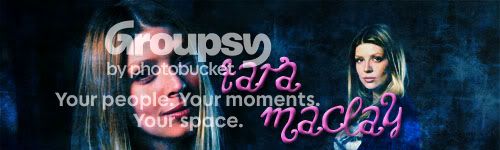
taramaclay.jpg


One of my favorite moments of OMWF. The blending is way off but oh well!
theparkingticket.jpg


Amber Benson as Lenore in Supernatural
Amberbensonvampire.jpg
 
ItMustBeBunnies
ItMustBeBunnies
I love all three! Well done! :D
I really like the look of the text on the Tara banner.
It doesn't look flat like most text does. Think there's something similiar on the underwear banner.
Is that in the fonts itself or is it some kind of trick that you should teach me? 😉

/SK
 
M
msfantastico87
thank you :)
I really like the look of the text on the Tara banner.
It doesn't look flat like most text does. Think there's something similiar on the underwear banner.
Is that in the fonts itself or is it some kind of trick that you should teach me? 😉

/SK

lol wow someone asking me for tricks lol..it's not in the font itself, but if you make a layer with font and right click on the layer it has a blending option. There, you can play around with different text effects. (I learned this from reading the old Art tutorials thread lol, there would have been no way I could have figured this out for myself!)
 
sk
sk
lol. Now I feel stupid. ;)
lol wow someone asking me for tricks lol..it's not in the font itself, but if you make a layer with font and right click on the layer it has a blending option. There, you can play around with different text effects. (I learned this from reading the old Art tutorials thread lol, there would have been no way I could have figured this out for myself!)

I have a feeling that you're not using Gimp as I do.
No such cool things there. Not that I can find anyway...

Thanks though. 🙂

/SK
 
M
msfantastico87
well the thread is called Photoshop Disaster lol :p
Just one new piece for today, I'm growing out of ideas lol

I wanted to put Tara's dad in it but 1)he's ugly and 2)it just made the banner look weird lol
family.jpg
 
M
Marisa
Very cute.
Great job! You're improving really quickly! I love the screen cap you've chosen of Tara. Really pretty.
 
M
msfantastico87
thank you! it's getting a lot easier for me and I find myself doing things a lot faster but I still have plenty of room for improvement
some new art

banners:
spuffy.jpg

faith5x5.jpg

rotflmao.jpg


buttons for my house:
Raidencuddles.jpg
amberraidenbutton-1.jpg
gwenraiden.jpg
*i give credit to Nix for the image at the Raiden art thread for this one, before she went to Merrick*

and one icon for Flannen
gilesraiden.jpg
 
Back
Top Bottom